Zero-based budget
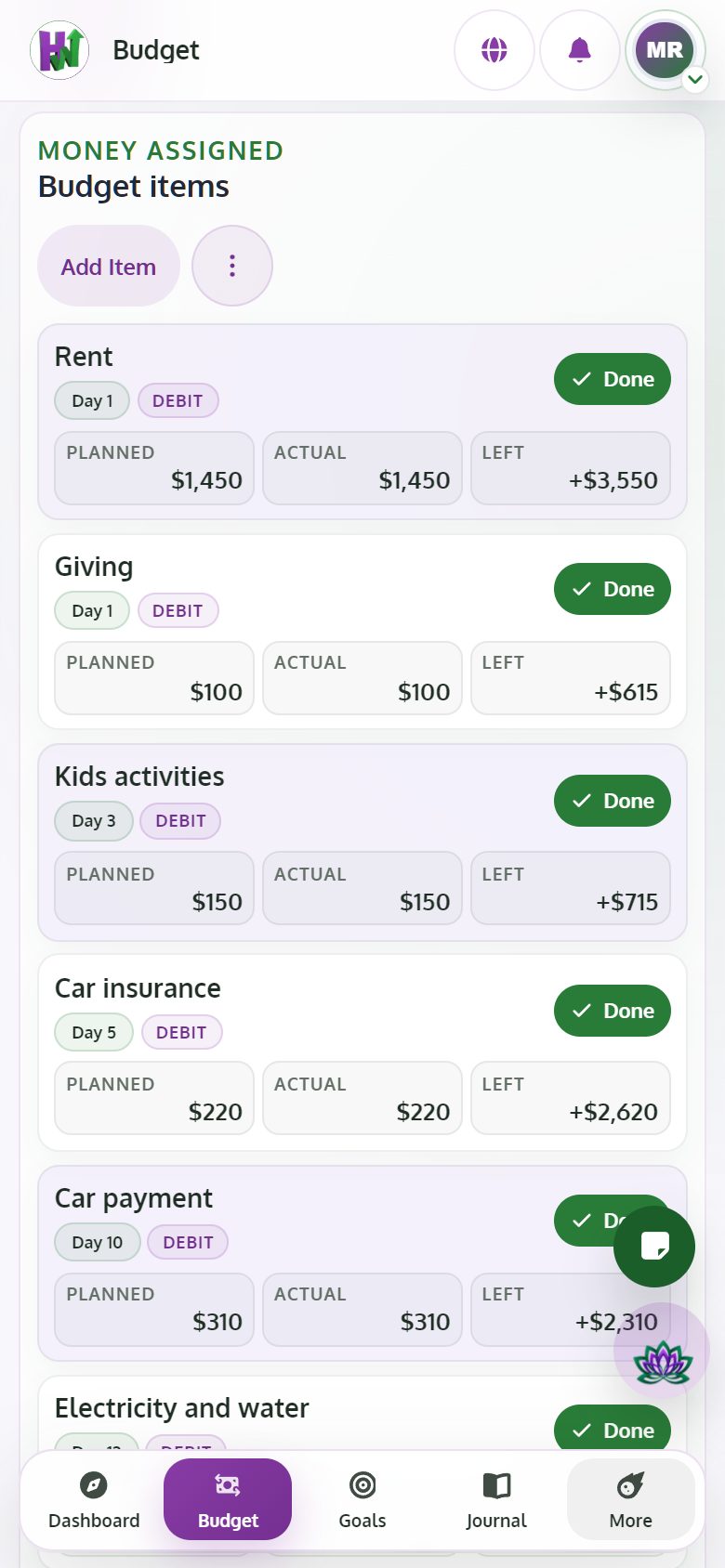
Plan the month before you spend it. Each item has a Planned and an Actual amount. Free plans one income source and the current month; Premium adds more income sources and planning ahead.
PhoneDesktop

Hoarding Wealth is a learning app that helps you put your finances in order and move toward financial freedom one step at a time. Here is what is inside, and what needs Premium.
Take the assessmentYou give every dollar a job before the month starts. You enter everything yourself, on purpose, so the plan and the habit are yours.
Plan the month before you spend it. Each item has a Planned and an Actual amount. Free plans one income source and the current month; Premium adds more income sources and planning ahead.
Enter the Actual and mark each item done. When every item is done the month locks and records your Budget Score.
See the same plan the way that suits you, print a month to PDF and sync due dates to Google Calendar.
Look back across your closed months to see how your plans and your scores changed.
Follow each debt from its starting balance: what you have paid, the percentage done and an estimated timeline.
Recurring items carry over to the next month, so you plan the changes instead of starting from zero.
Most money apps show you where your money already went. Hoarding Wealth asks you to decide first: every dollar gets a job before you spend it.
There is no bank connection and no automatic import. Typing the numbers and choosing yourself is how the lesson sticks.
Your stage on the Wealth Path comes from your closed months, so the next step always fits where you really are.
Six stages: Snapshot, Budget, Debt, Emergency fund, Investing and Wealth. With Premium, the AI drafts your personal next steps and you confirm them.
Your stage, your scores and one next best action. Free accounts get rule-based guidance; Premium adds an AI action and a daily insight.
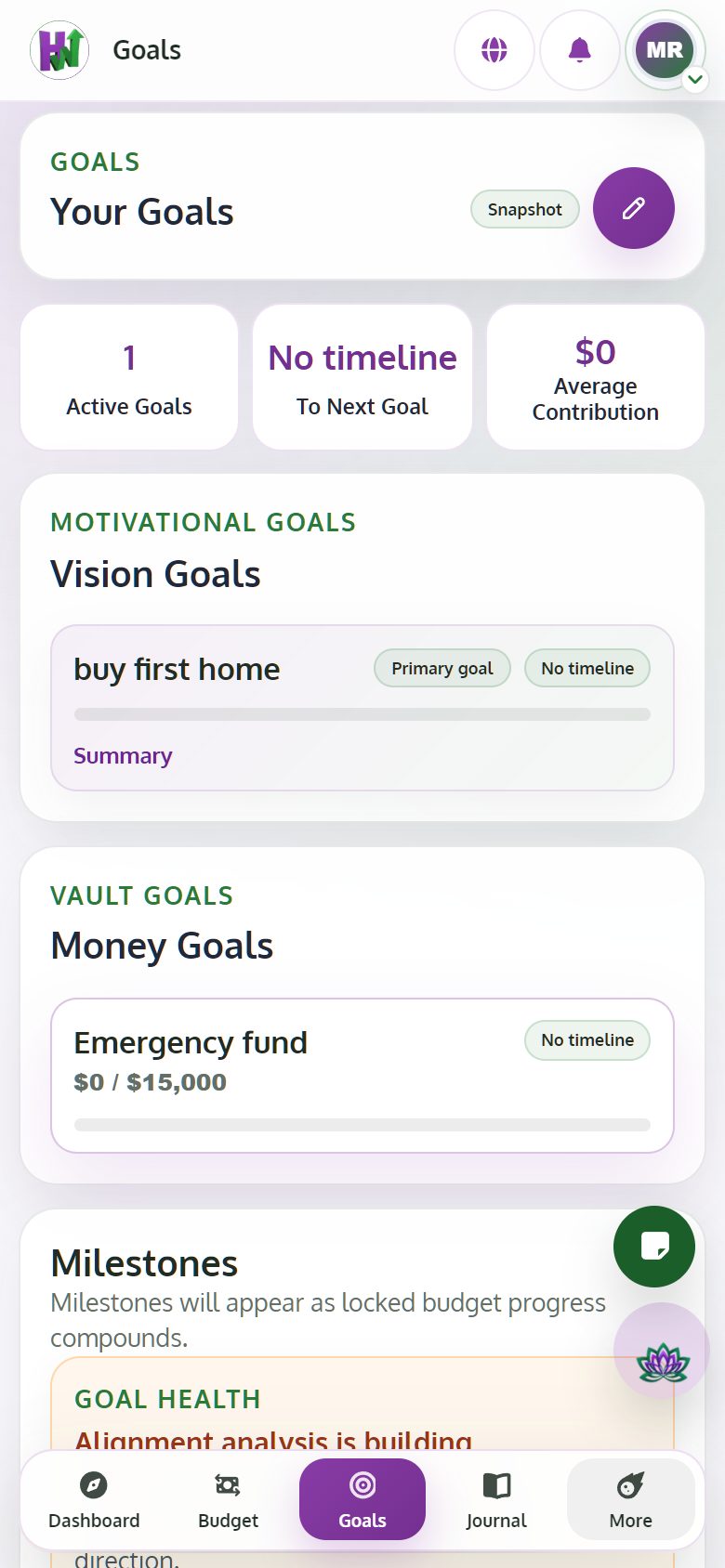
Set the goal that motivates you. Free includes one goal; Premium adds more goals and an AI estimate of when you will reach each one.
Turn a saving item in your budget into a vault with a target. Vault goals stay locked while you are paying off debt or building your emergency fund.
A view of your momentum and your stage over time.
Opens at the investing and wealth stages for households, with a prosperity profile and a checklist for building your team: advisor, accountant, insurance, banking, lawyer and mentor.
Each goal shows how many months it may take. Move the what-if slider to see how an extra monthly amount brings the date closer. It is plain math, not a promise.
While you are in the debt or emergency stage, vault goals wait. First the foundation, then the extras.
Lessons in the book's stage order, each with a summary, key points, a quiz, a written reflection and an Apply step. Every lesson is free; the AI tools inside lessons are Premium.
Ask questions about a lesson, try a what-if and get a reply to your reflection.
Look up terms, save lessons for later and write down what you commit to doing.
Entries with a calendar, images and tags, plus email reminders. Your lesson reflections are saved here too. Free accounts keep up to 30 entries.
Record a voice note and get a written draft you can edit. Premium also removes the 30-entry limit.
Notebooks with search, sharing and reminders. Promote a note to your Journal when it matters.
The AI is a coach, not an agent. It explains, suggests and drafts. It never moves money and never changes your data on its own.
A chat that knows your context and links related lessons. Free accounts get 10 messages a month; Premium gets 300.
A note on where your month looks tight, so you can adjust the plan before it happens.
Take the assessment for free to find your primary and secondary type among seven. The full Wealth Profile is Premium.
The coach avoids shaming language and will not push aggressive investing while you are in the debt or emergency stage.
Members share knowledge, stories and lessons learned with each other.
Write posts with images, comment, react, repost, mention and follow other members.
Join Spaces built around a topic, and share Stories that last 24 hours.
Every post is checked by a word list and AI moderation, and members can report posts. Only your username, avatar and a short bio are public.
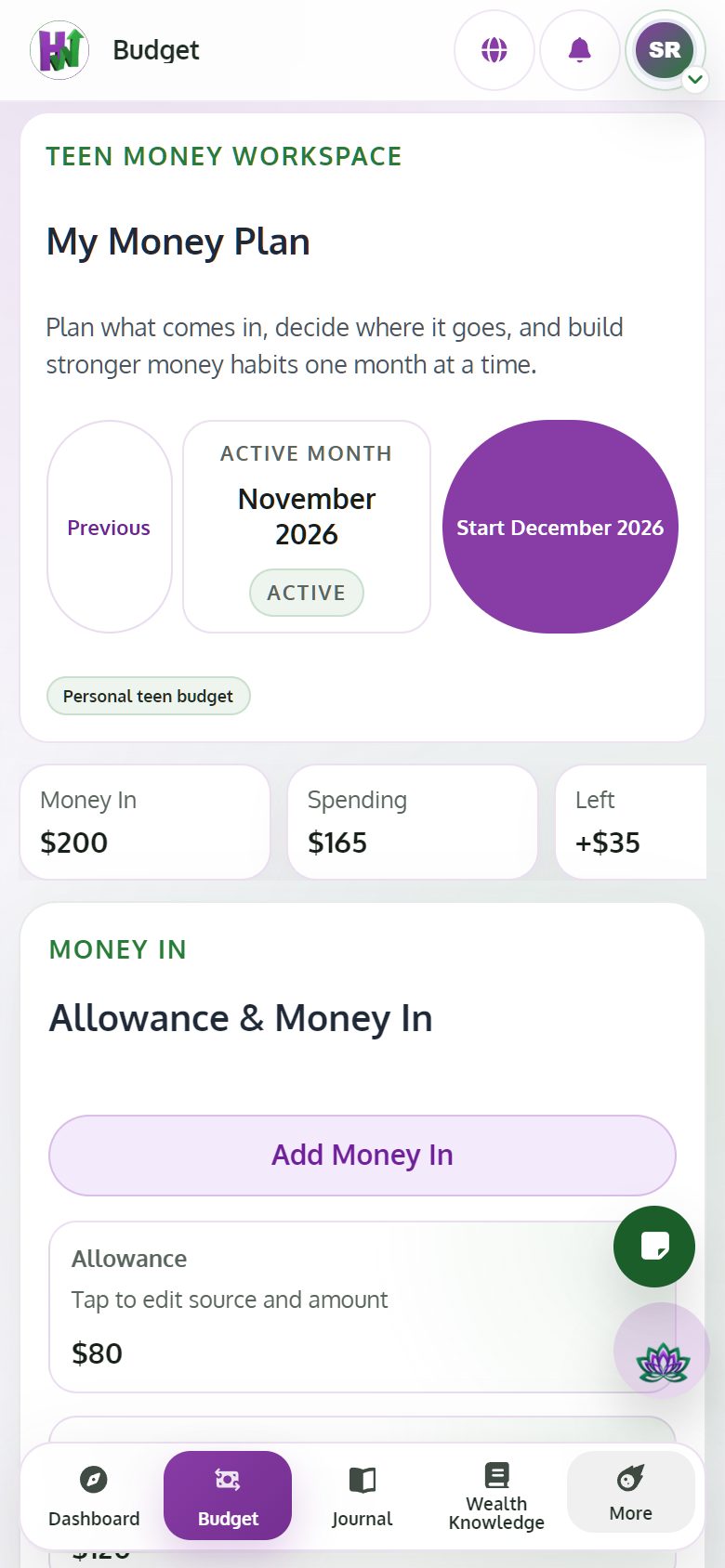
A Premium household owner can create supervised accounts for teens aged 13 to 17. The teen gets their own simple money plan: money in and planned spending.
The parent decides what the teen can use. Every switch starts off, except approving posts first, which starts on.
Create a household and invite adults by email. Adult members share the owner's Premium.
Create an account for a teen aged 13 to 17 and choose what they can use: community, AI help, advanced lessons and planning boards.
The teen budget: money in and planned spending, in a space made for learning.
Reset a teen's password, pause or resume the account, convert it to an adult account at 18, or delete all of the teen's data.
The Visual Planning board gives you room to map ideas, plans and steps. It is made for a computer screen; on a phone you will see a note to open it on desktop.
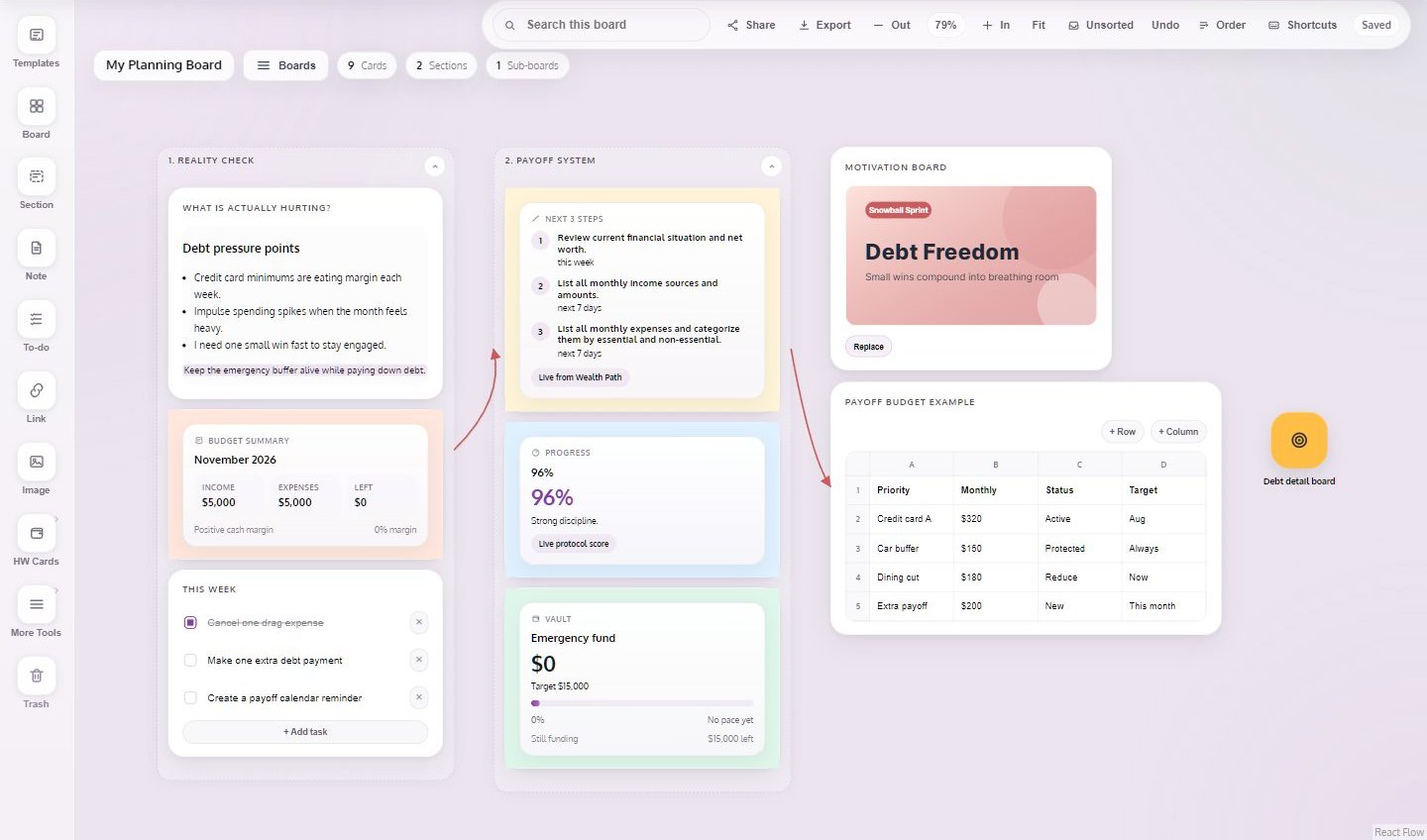
Free accounts get 3 boards. Premium adds unlimited boards, SVG and JSON export and sharing with your household.
Auto loan, loan, mortgage, savings, emergency fund, retirement, nest egg and retirement age, with print and CSV export.
The whole app works in both languages, and you can switch at any time.
Use it in your phone's browser and add it to your home screen.
The free plan is a starting point: one income source, the current month, one goal, every lesson, the Journal, the community and the calculators. Premium is $12 a month or $120 a year, which is two months free. There is no free trial.
Take the free Money Personality assessment and see the first step that fits you.
Take the assessment