Step-by-step stages
Your Wealth Path moves from Snapshot to Budget, Debt, Emergency fund, Investing and Wealth, based on the months you have closed. Lessons follow the same order.

If you are comparing money apps, here is what Hoarding Wealth does differently, who it is built for, and who may want something else.
Start freeHoarding Wealth helps you get your finances in order and reach financial freedom step by step. You plan each month before it starts, follow a clear path of stages, and learn the reasons behind each step as you go.
You stay in charge of every decision. The app teaches, guides and keeps score, and you do the deciding.
Your Wealth Path moves from Snapshot to Budget, Debt, Emergency fund, Investing and Wealth, based on the months you have closed. Lessons follow the same order.
A zero-based budget gives every dollar a job before the month begins. You compare Planned with Actual and close the month when every item is done.
The AI Wealth Coach explains, suggests and drafts. It never moves money or changes your data on its own, and anything it drafts waits for you to confirm.
No bank connection is needed. In the community only your username, avatar and a short bio are public. Your finances, journal and notes stay private.
Supervised teen accounts for ages 13 to 17 let parents teach personal finance in a controlled space, with switches the parent controls.
Everything in the app works in English and Spanish, so the whole household can use it in the language they are most comfortable with.
Tracking can help. It just stops at the charts and leaves the next move to you.
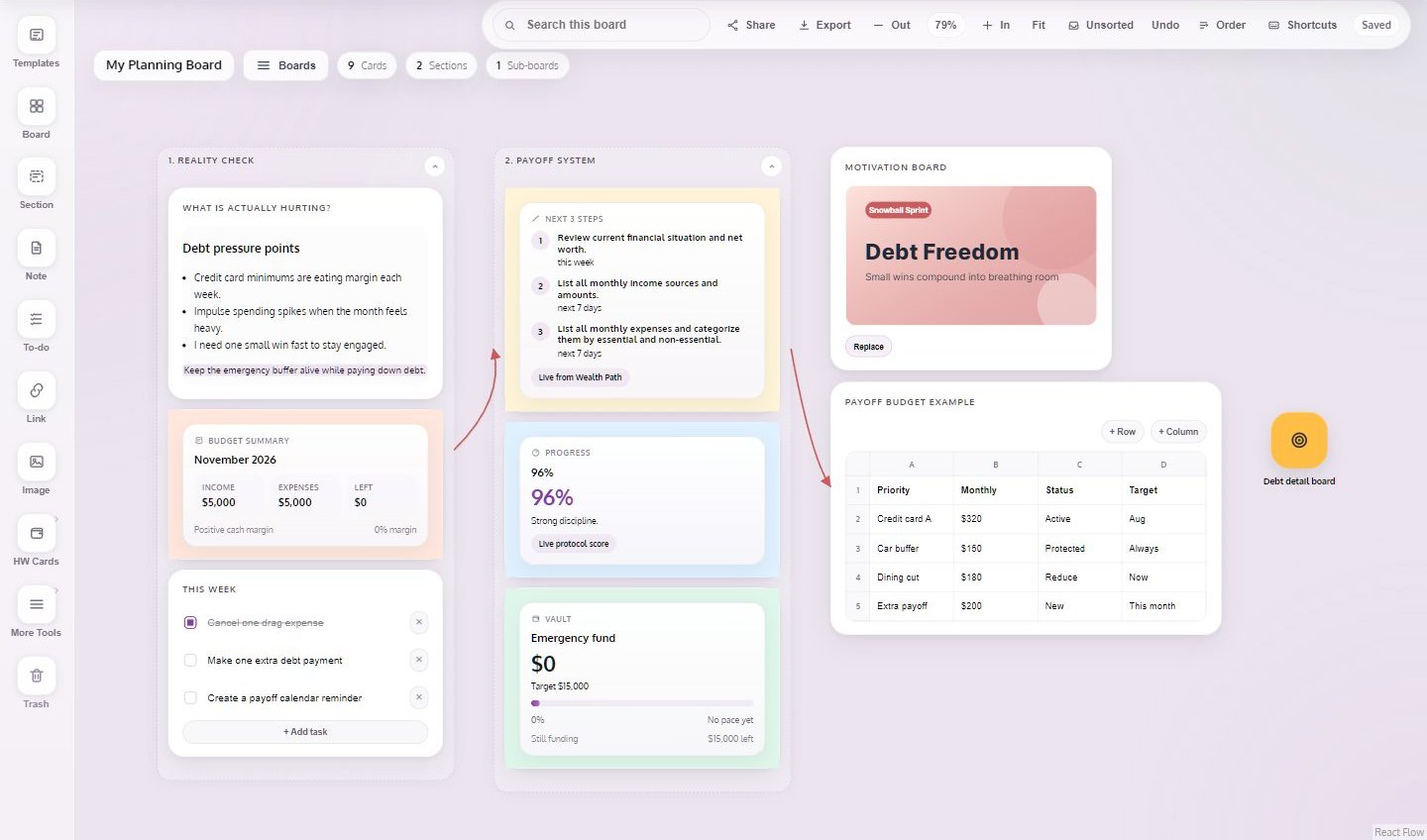
The Visual Planning board gives you a large canvas to lay out your plans in one place. It is made for a bigger screen, so it works on desktop only.
Free includes 3 boards. Premium adds unlimited boards, SVG and JSON export, and sharing boards with your household.
Hoarding Wealth fits people who want to understand their money and are willing to spend a few minutes a month planning it.
If you only want automatic tracking, with your transactions pulled in and zero manual entry, Hoarding Wealth is probably not the right fit. Entering and deciding yourself is part of how the app works.
The free plan is a starting point: the zero-based budget with one income source for the current month, your Wealth Path stage, one goal, every lesson, the community, the Journal up to 30 entries, 3 Visual Planning boards and 10 coach messages a month. Premium is $12 a month or $120 a year (2 months free) and adds more income sources, recurring items, planning ahead, the AI Wealth Path, more goals with AI projections, Savings Vaults, Budget History, AI insights on the Dashboard, lesson AI tools, 300 coach messages a month, Journal voice notes, unlimited boards and household management. There is no free trial; you can start on the free plan and upgrade when you are ready.
Yes. You manage your billing from your account settings, and you can cancel your Premium subscription there.
No. In the community only your username, avatar and a short bio are public. Your real name, email, finances, journal and notes stay private, and nothing from your budget is posted automatically.
No. There is no bank connection and no transaction import. You enter your own amounts, which is how you learn where your money goes and build the habit.
Take the free Money Personality assessment and plan your first month.
Start free