Teen account
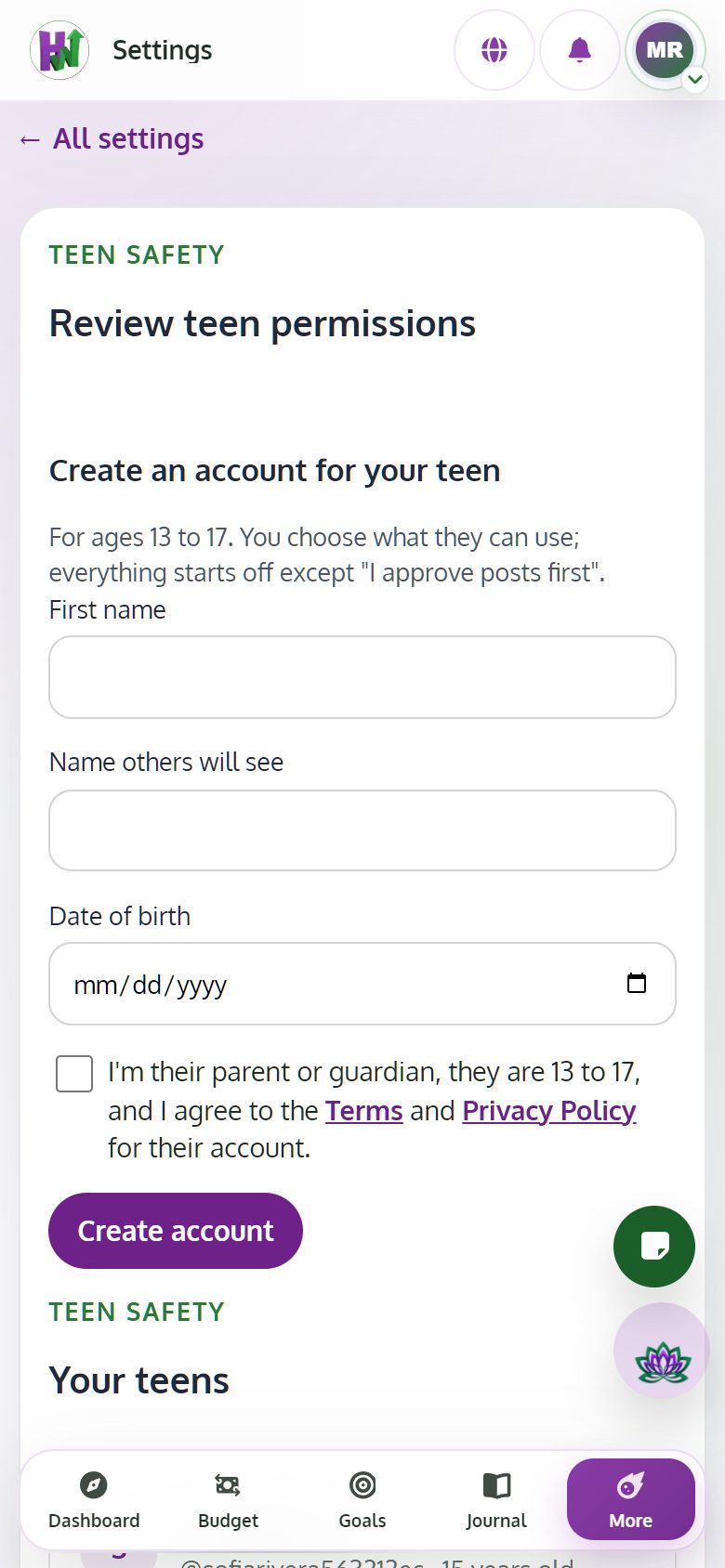
For ages 13 to 17, created by the household owner. Teen accounts are never held back by free-plan limits.
Premium

Hoarding Wealth is a budgeting and personal finance learning app that helps parents teach their teens about money by giving each teen, ages 13 to 17, a supervised account with their own money plan and lessons, while the parent decides what the teen can use. Your teen practices with the money they really get; you keep the controls.
Start freeMost teens hear about money in pieces: don't waste it, save some, you'll understand when you're older. Then the first paycheck from a summer job arrives, and nobody has shown them what to do with it. Talking helps, but teens learn to plan money the way they learn to drive: by doing it, with an adult nearby.
The hard part for parents is finding the right setting. A full adult budget app is too much, a savings jar is too little, and most apps with a social side were never built for a 14-year-old. What works is a small plan your teen runs on their own, lessons that explain the reasons behind it, and limits you set and can change as they grow.
As the household owner with Premium, you create an account for each teen aged 13 to 17. Your teen signs in with their own login, and you stay in charge: you can reset the password, pause and resume the account, or delete it.
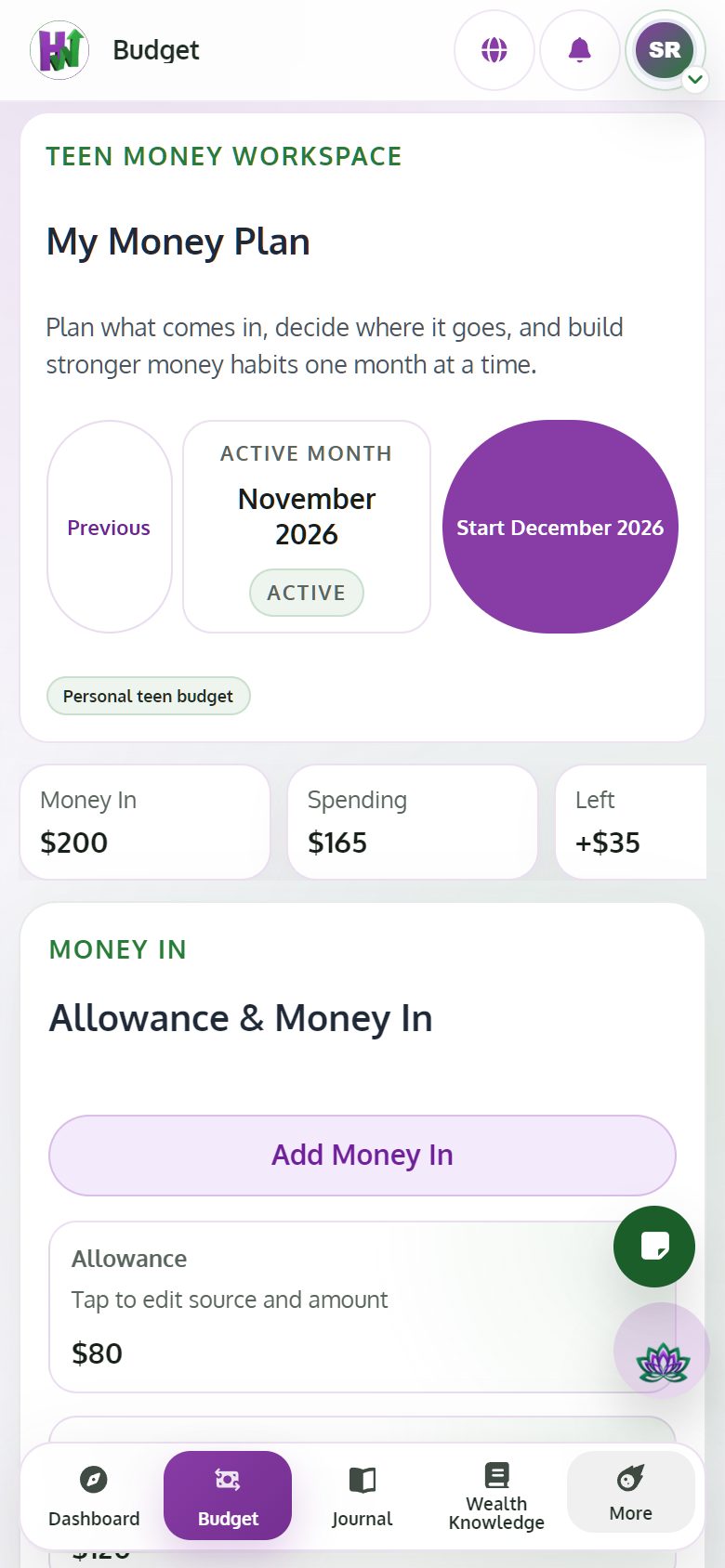
Your teen gets My Money Plan, built around two parts: Allowance & Money In for what they receive, like allowance, birthday money or a part-time paycheck, and Planned Spending for what they choose to do with it, from snacks and phone costs to savings. They plan the amounts first, then record what they really spent and mark each item done.
Why: Small choices with their own money now are practice for the big ones later.
Short lessons teach the ideas behind the plan, so saving first and planning ahead make sense instead of sounding like house rules. When you think your teen is ready, one switch opens the advanced lessons.
Teens have their own community, separate from the adult one. Every parent switch starts off except "I approve posts first", which starts on. You decide whether your teen can see the teen community, write posts, comment, follow spaces or share other teens' posts, and you approve or decline their posts.
Other switches turn on AI help, their own planning board and family boards. When your teen turns 18, you can convert the teen account into an adult account.
For ages 13 to 17, created by the household owner. Teen accounts are never held back by free-plan limits.
Allowance & Money In and Planned Spending, with a planned and an actual amount your teen fills in for each item.
Short money lessons for your teen, with advanced lessons one switch away.
Community, posts, comments, AI help, advanced lessons and planning boards stay off until you turn them on.
A space only for teens, apart from the adult community. Posts wait for your approval unless you change that.
Approve or decline posts, reset the password, pause or resume the account, convert it at 18, or delete it.
Hoarding Wealth doesn't connect to a bank and doesn't pay allowance or hold money. Your teen types in what they receive and spend, and you keep paying allowance the way you do today. The app never moves money.
Only a household owner with Premium can create and manage teen accounts. Teen accounts are for ages 13 to 17, so the app isn't set up for younger children.
If you want a debit card for your teen with spending limits, or a money app for kids under 13, a different tool will fit better. Hoarding Wealth is for learning to plan and think about money, not for making payments.
Ages 13 to 17. When your teen turns 18, you can convert the teen account into an adult account.
Yes. The household owner needs Premium to create teen accounts. Once created, a teen account isn't limited by free-plan rules.
No. Hoarding Wealth doesn't connect to banks or cards. Your teen types in their allowance, gift money or paycheck and plans what to do with it.
Only with other teens, and only if you allow it. The teen community is separate from the adult community, every community switch starts off, and "I approve posts first" starts on, so you see posts before anyone else does.
Only if you turn it on. AI help is one of the parent switches, and like the others it starts off.
Yes. As the household owner you can pause and resume the account, reset its password or delete it at any time.
One shared plan you both can see and change, so money stops being the argument.
See how it helpsA plan built around one paycheck, with a bigger safety cushion so the household doesn't depend on luck.
See how it helpsShort lessons tied to your own budget, so you learn money by using it, one stage at a time.
See how it helpsTake the free Money Personality assessment, plan your own month, then add your teen when you're ready.
Start free