
Approve posts, pause or convert a teen account
You stay in charge until your teen is ready. Every action is in the same place in Settings.
PremiumThis guide needs Premium. See pricing
- 1
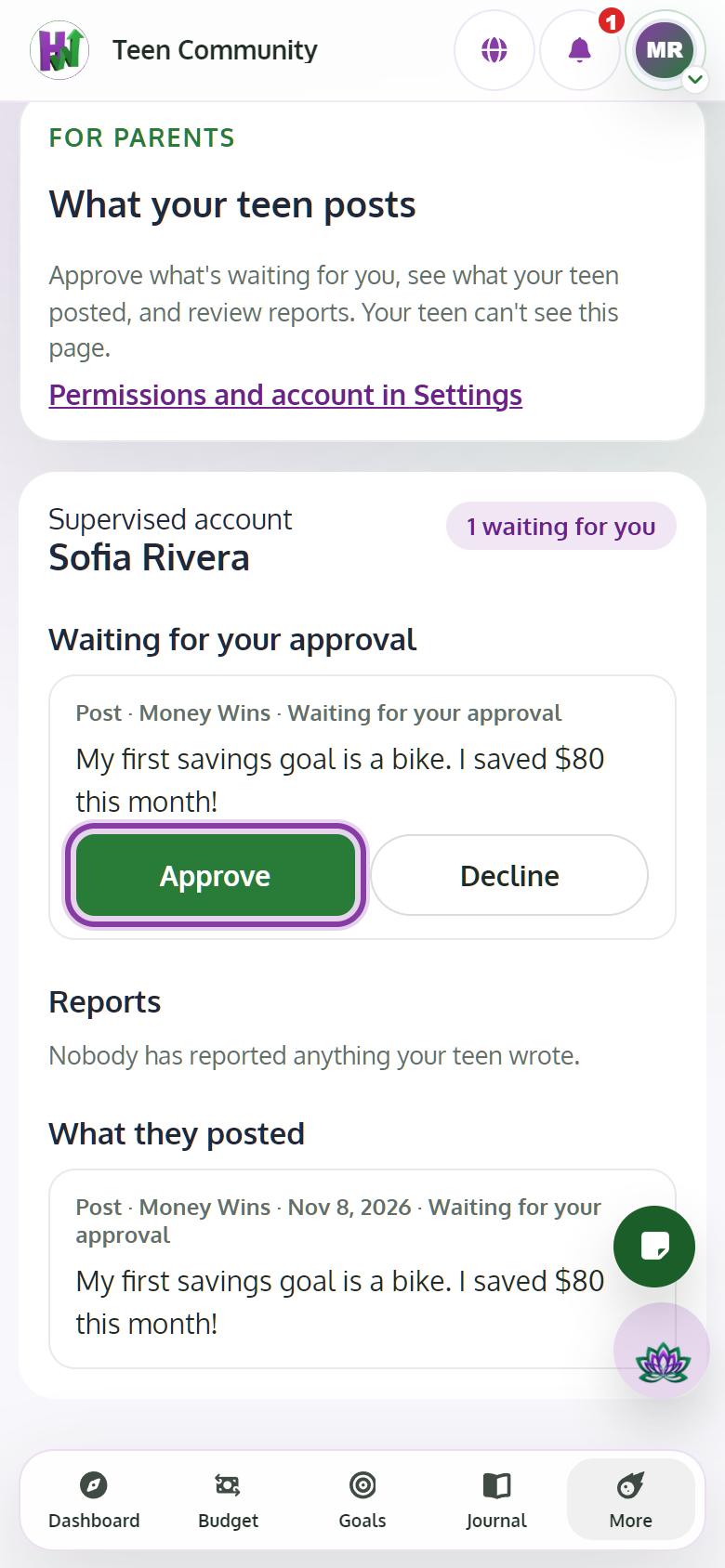
Approve their posts
Open Approvals and what they posted. Tap Approve or Decline on each post waiting for you.
- 2
Reset the password
Tap Create a new password. The new password shows once; give it to your teen.
- 3
Pause or resume
Tap Pause account to stop them signing in, and Resume account to let them back. Nothing is deleted.
- 4
Convert at 18, or delete
When they turn 18, tap Convert to an adult account and enter their email; they keep the same password and your controls end. To remove everything, tap Delete account and data.