
Record what you spent and close the month
The plan says what should happen; the Actual says what did. Closing the month records your Budget Score and updates your stage, your Wealth Score and your goal dates.
- 1
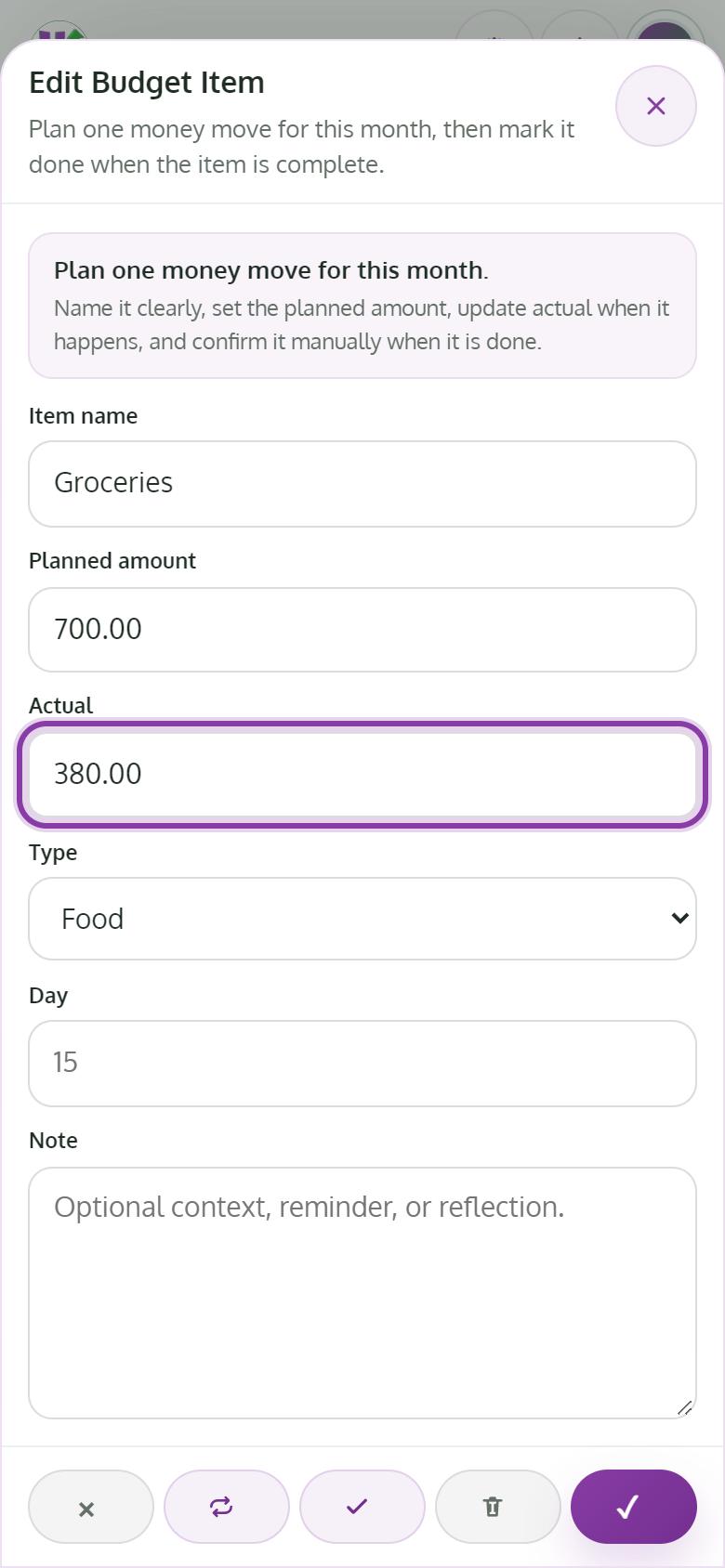
Enter the Actual amount
When you pay or save an item, open it and enter what really went out in Actual.
- 2
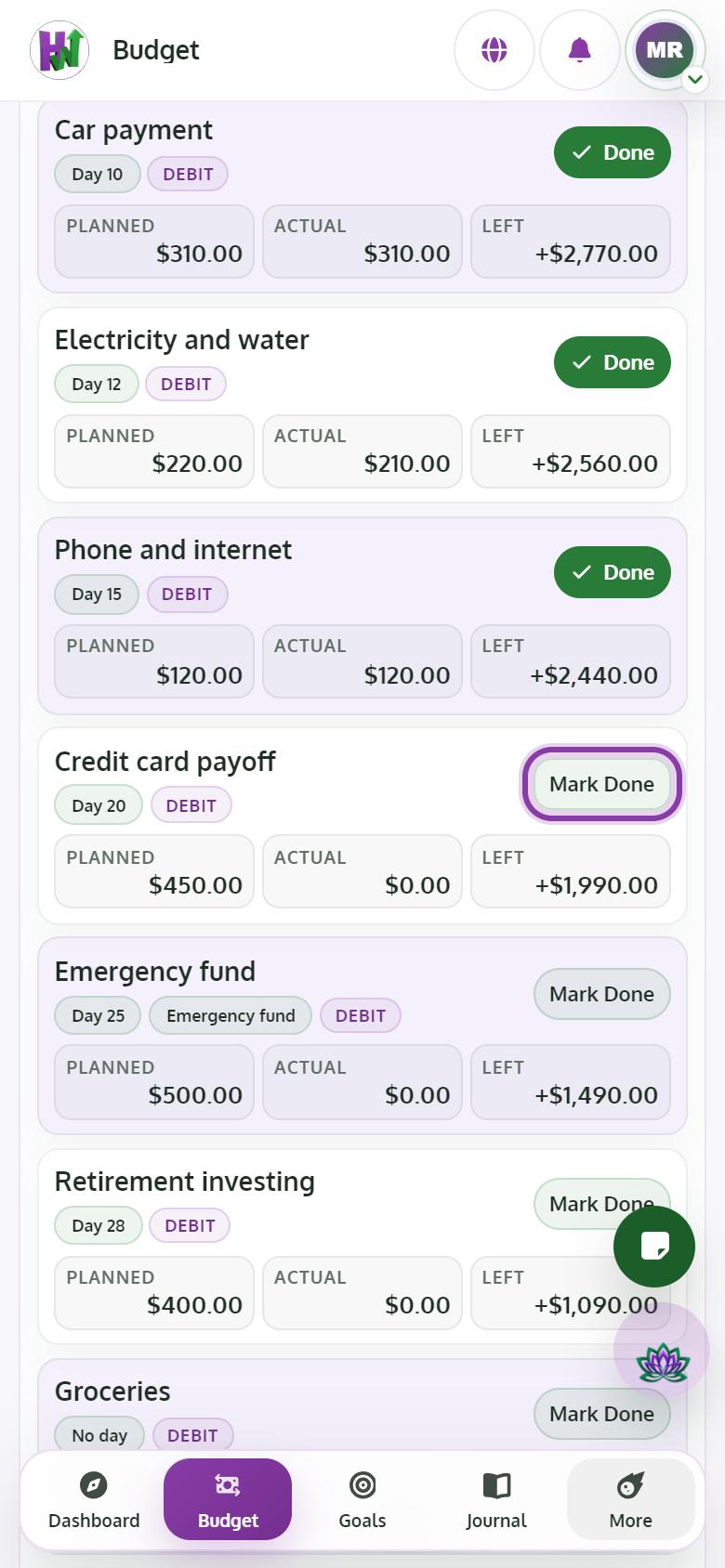
Mark it done
Tap Mark Done. You need an Actual amount first. The item now reads Done; tap Undo Done if you need to change it.
- 3
Finish every item and the month locks
There is no close button. When every item is done, the month locks by itself and your Budget Score for the month is saved.
- 4
Need to fix something? Undo it
Tap Undo Done on any item and the month opens again. Fix it, mark it done, and it locks again.
Tips
- Your Wealth Path stage comes only from closed months, so close your first month to get a real stage.