
Plan your month
A zero-based budget gives every dollar a job before you spend it. Bills, debt payments and savings are all items. When your income minus your planned items is zero, the plan is complete.
- 1
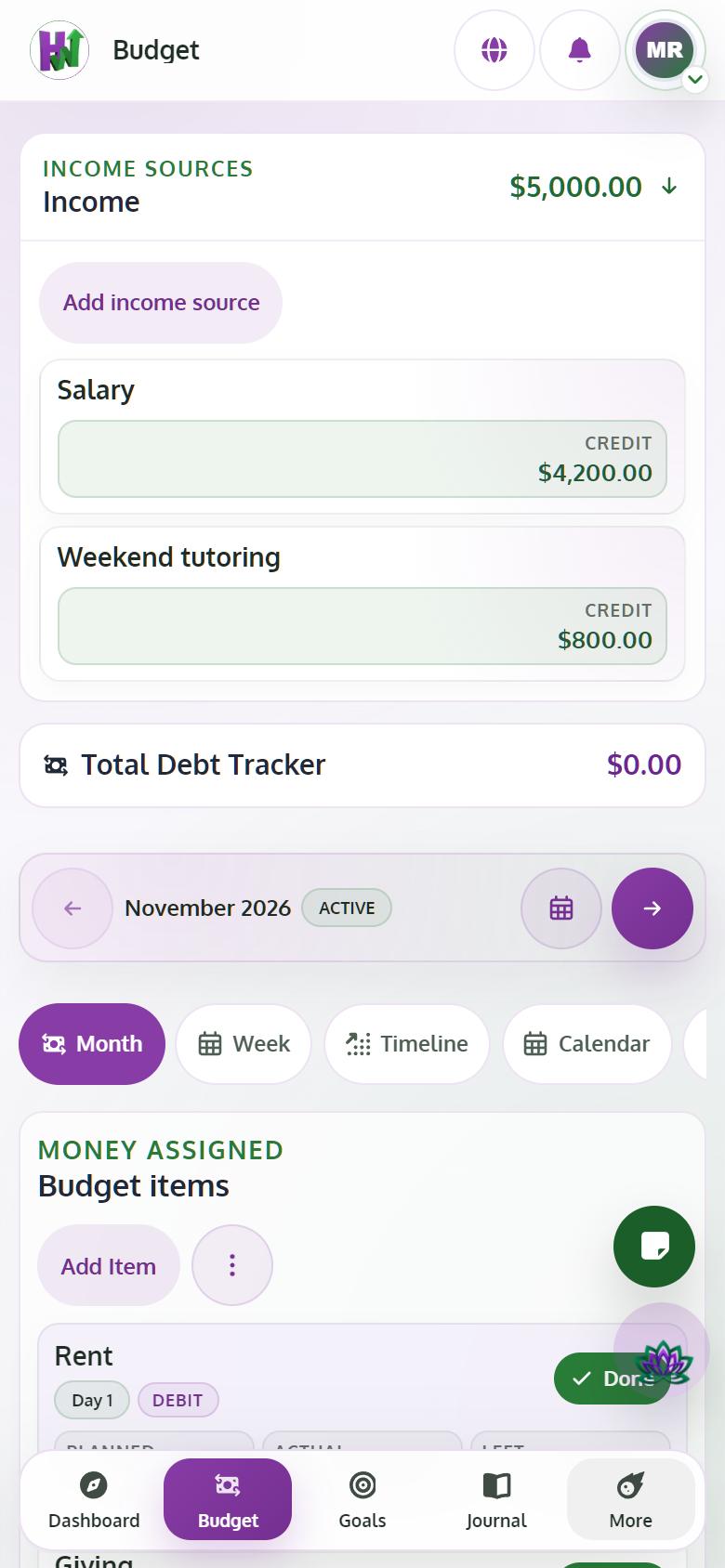
Open the Budget
Tap Budget. You see the current month with your income, your items and what is still unassigned.
- 2
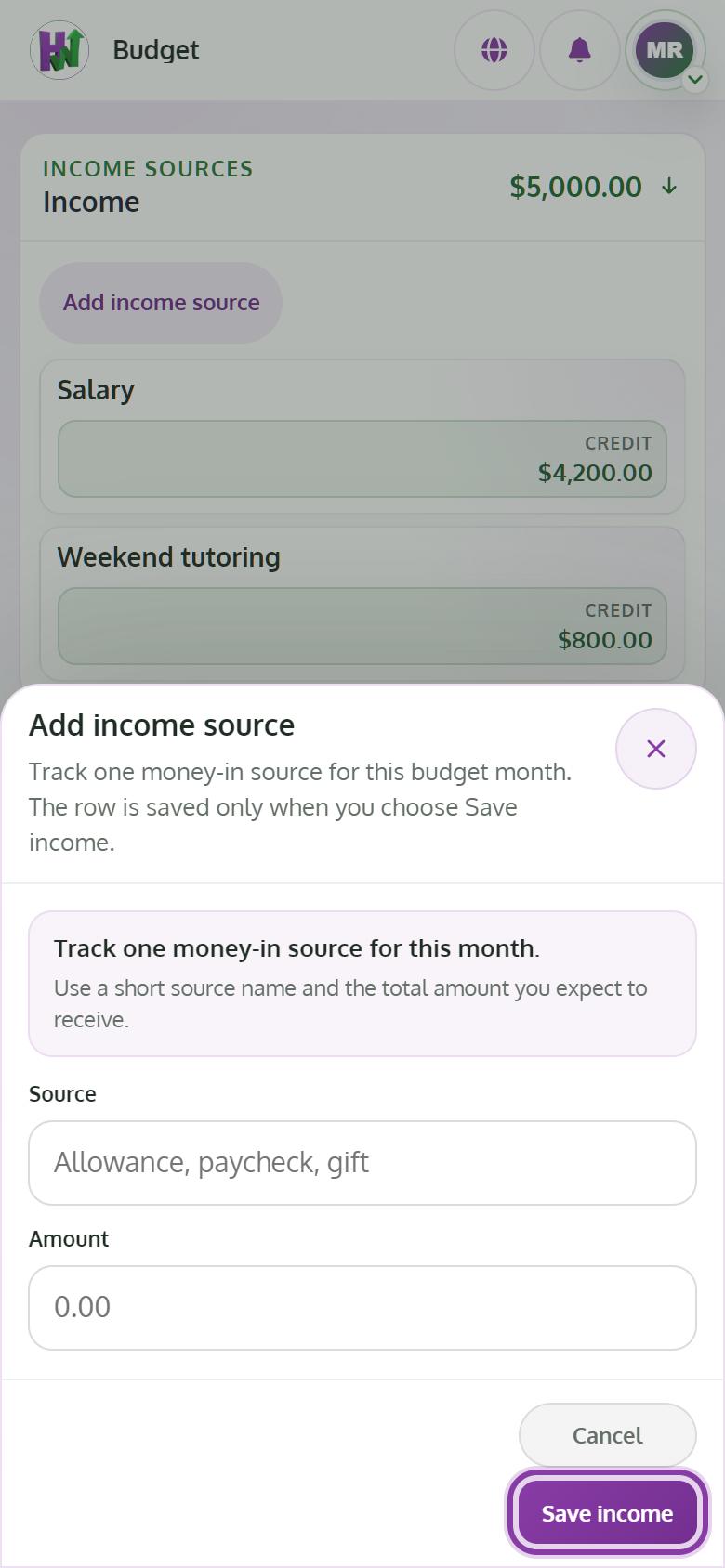
Add your income
Tap Add income source, write where it comes from and the amount, then Save income. The free plan includes one income source; Premium adds all of them.
- 3
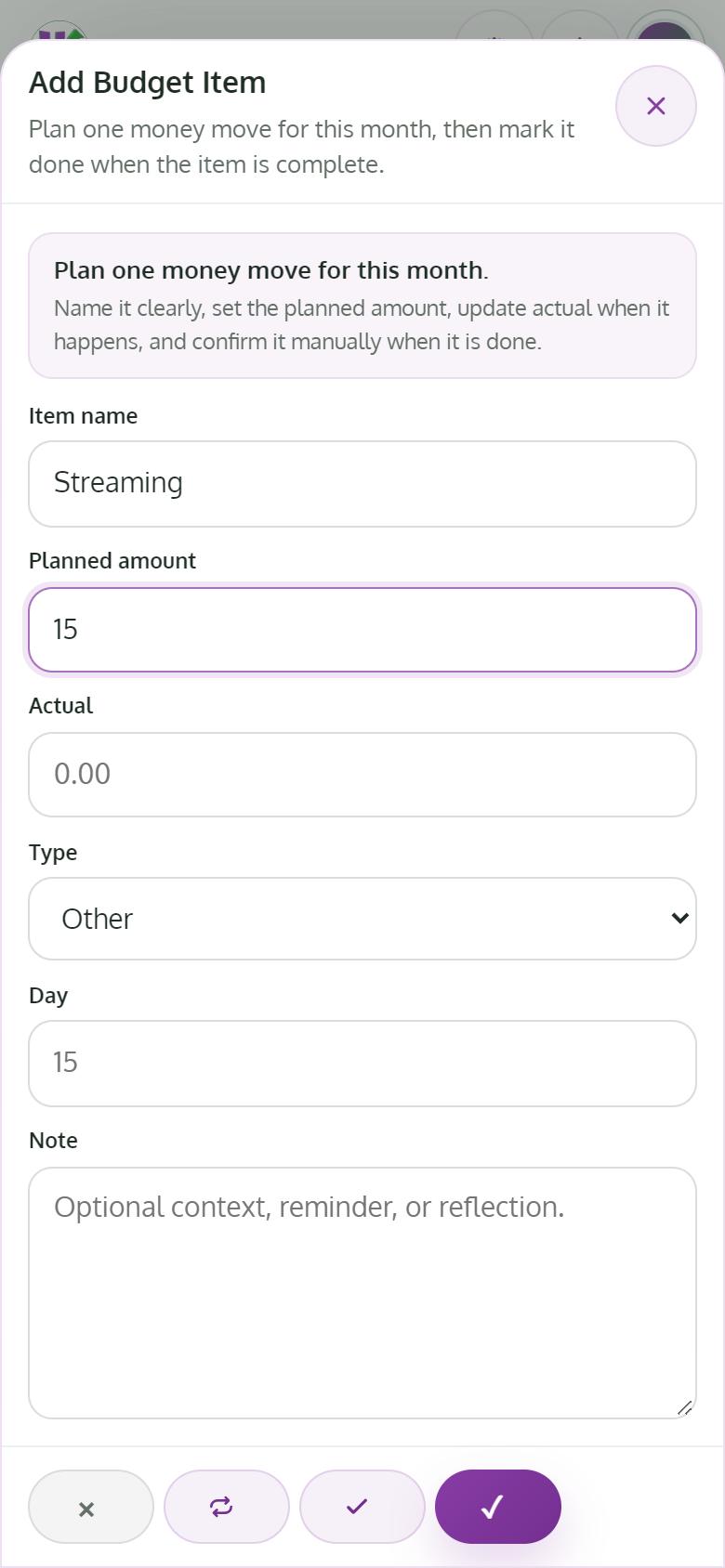
Add an item for each bill, payment and saving
Tap Add Item. Give it a name, a Planned amount, a Type such as Rent / Mortgage, Debt or Saving, and the day it is due. Add a Note if you want to remember why. Tap Save item.
- 4
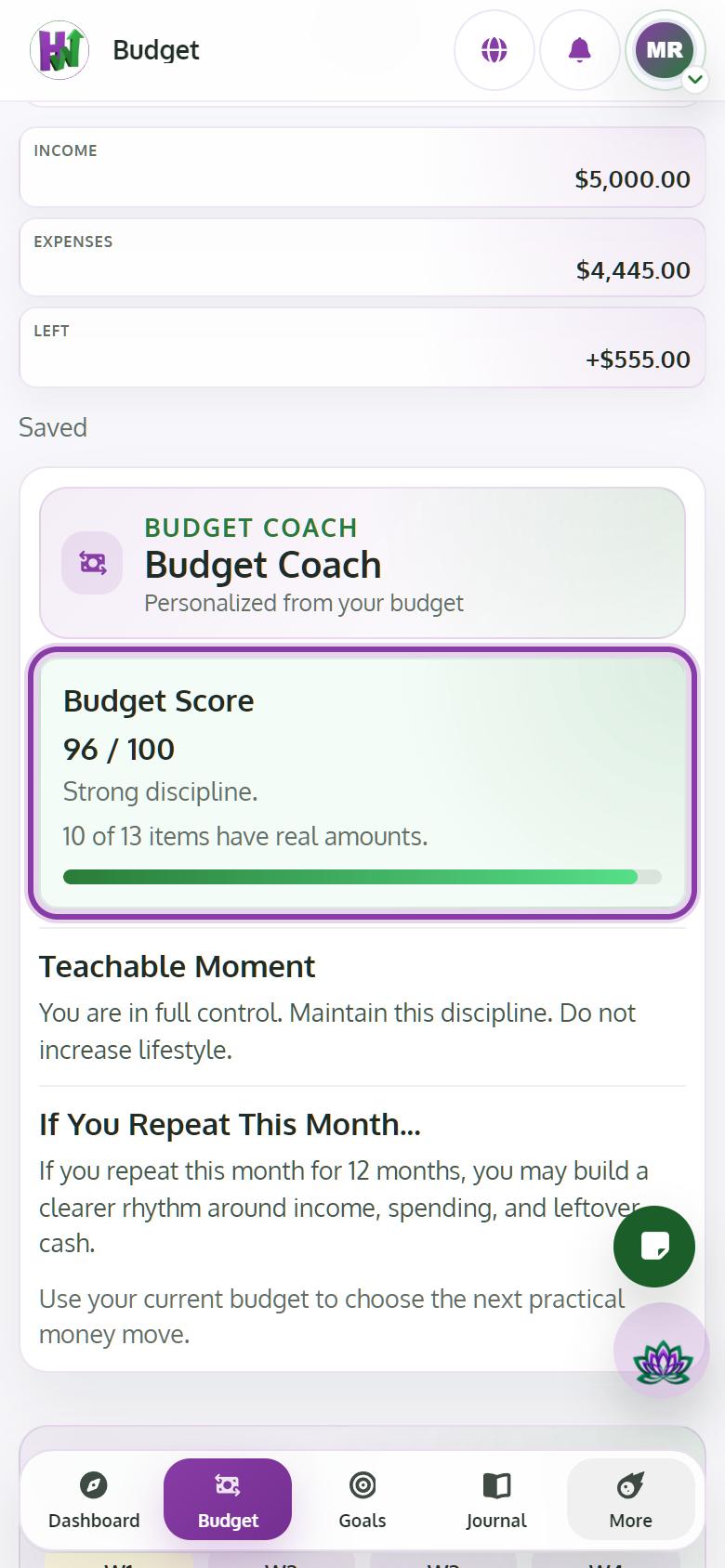
Keep going until nothing is unassigned
Your Budget Score shows how much of your income has a job. At 100 / 100 every dollar is planned. Planning more than you earn lowers the score, so trim an item instead.
Tips
- Plan your savings first, as items. That is how you pay yourself before the month spends it.
- Changes save on their own; you will see Saved.
- With Premium, turn on Recurring for items that repeat, so they carry over to next month.