
Write in your Journal
The numbers show what happened; the Journal keeps why. It is how you stay accountable, and your AI Coach reads your recent entries to understand your month.
- 1
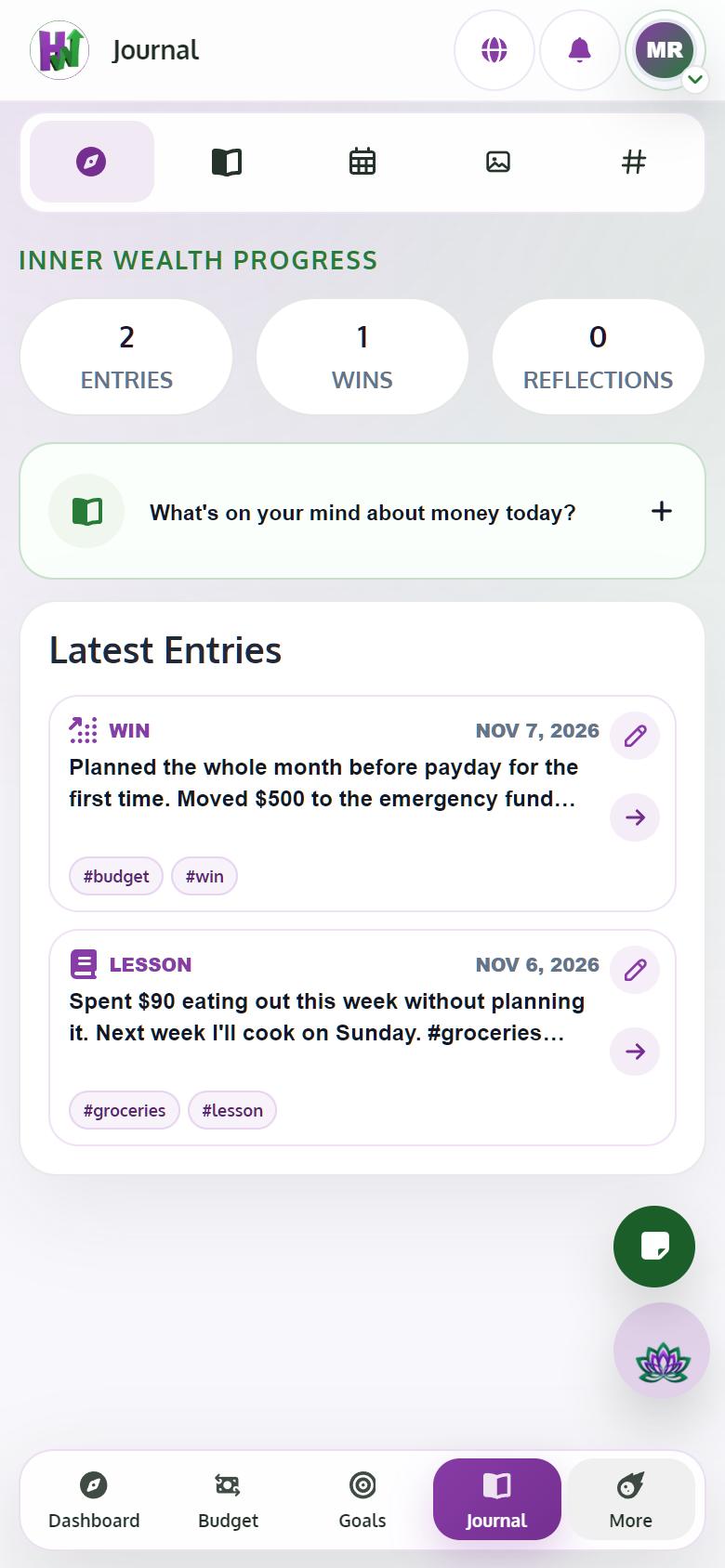
Start a new entry
Open Journal and tap What's on your mind about money today? The New Journal Entry editor opens.
- 2
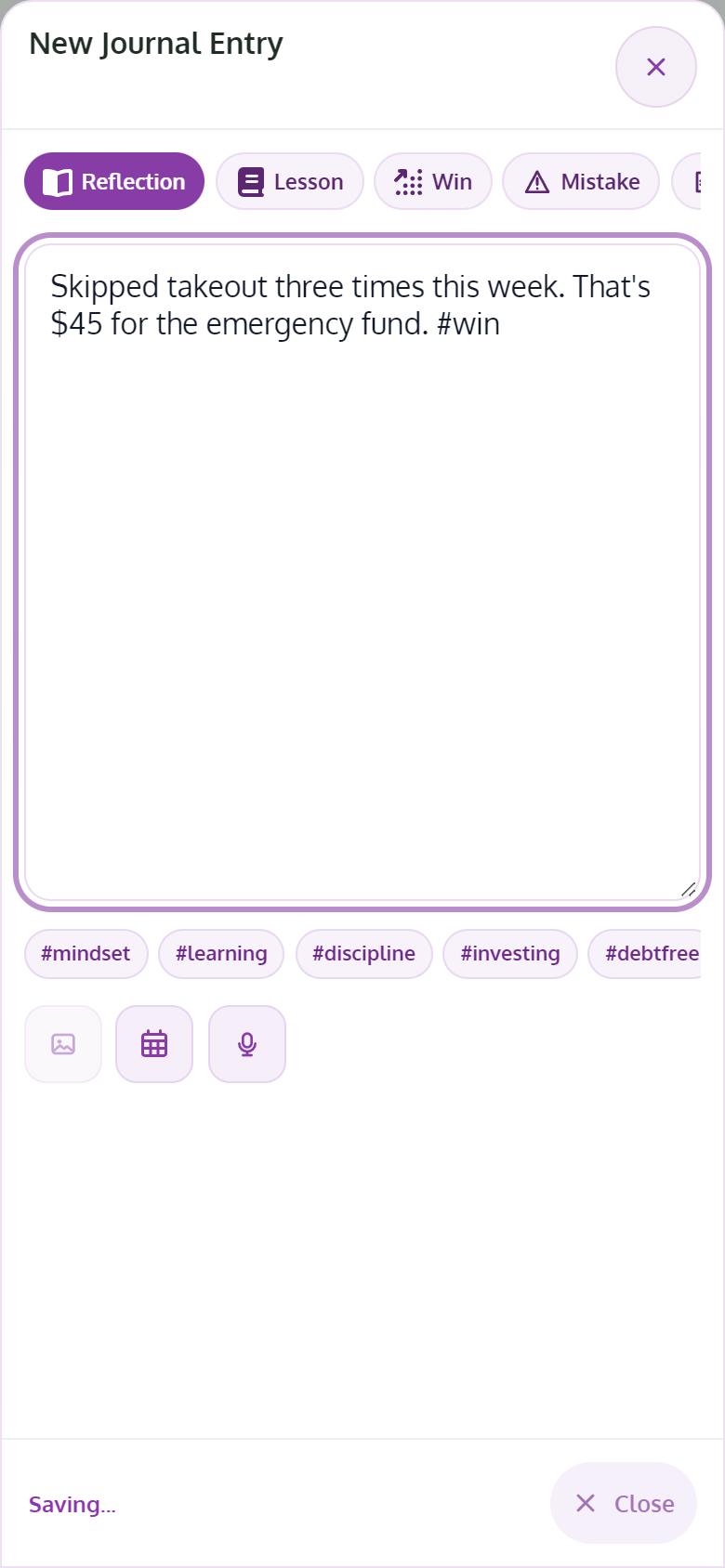
Pick the type and write
Choose Reflection, Lesson, Win, Mistake, Idea or Goal, and write what happened. It saves on its own.
- 3
Tag it with #words
Type a word with # in front, like #groceries, and it becomes a tag. Use the Tags view to find every entry with that tag.
- 4
Add a photo or a voice note
Tap Add photo for up to 3 private images. With Premium, record a Voice note; it becomes text you can edit, and the audio isn't kept.
- 5
Set a reminder
Use Reminder to come back to an entry once, every day or every week.
Tips
- Free keeps up to 30 entries; Premium is unlimited.
- Lesson reflections are saved to your Journal too.