
Create a teen account
A teen account gives your son or daughter their own money plan, lessons and a separate teen community, all under your supervision.
PremiumThis guide needs Premium. See pricing
- 1
Open Teen controls
In Settings, open Teen controls.
- 2
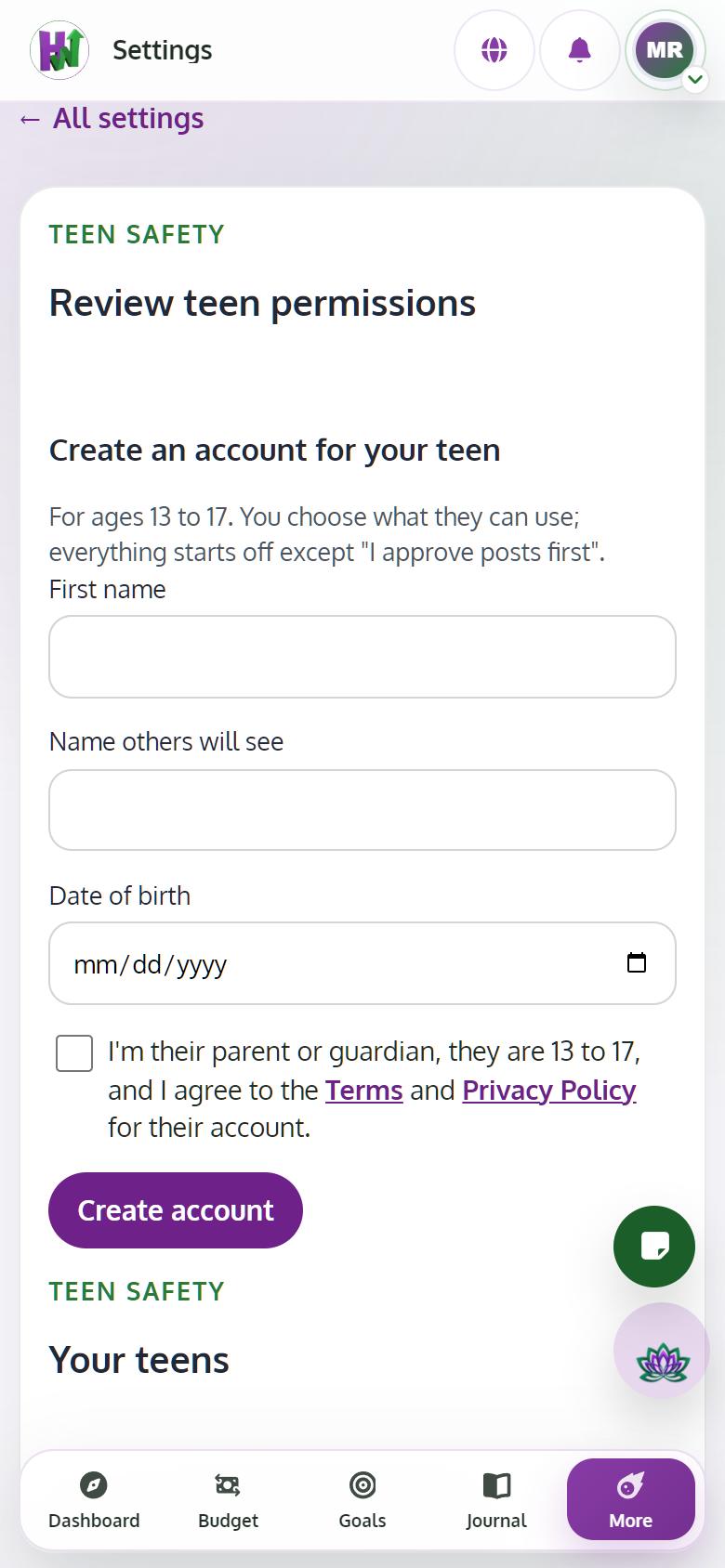
Fill in their details and consent
Enter their first name, the name others will see and their date of birth. Tick the box confirming you are their parent or guardian, then tap Create account.
- 3
Save their sign-in
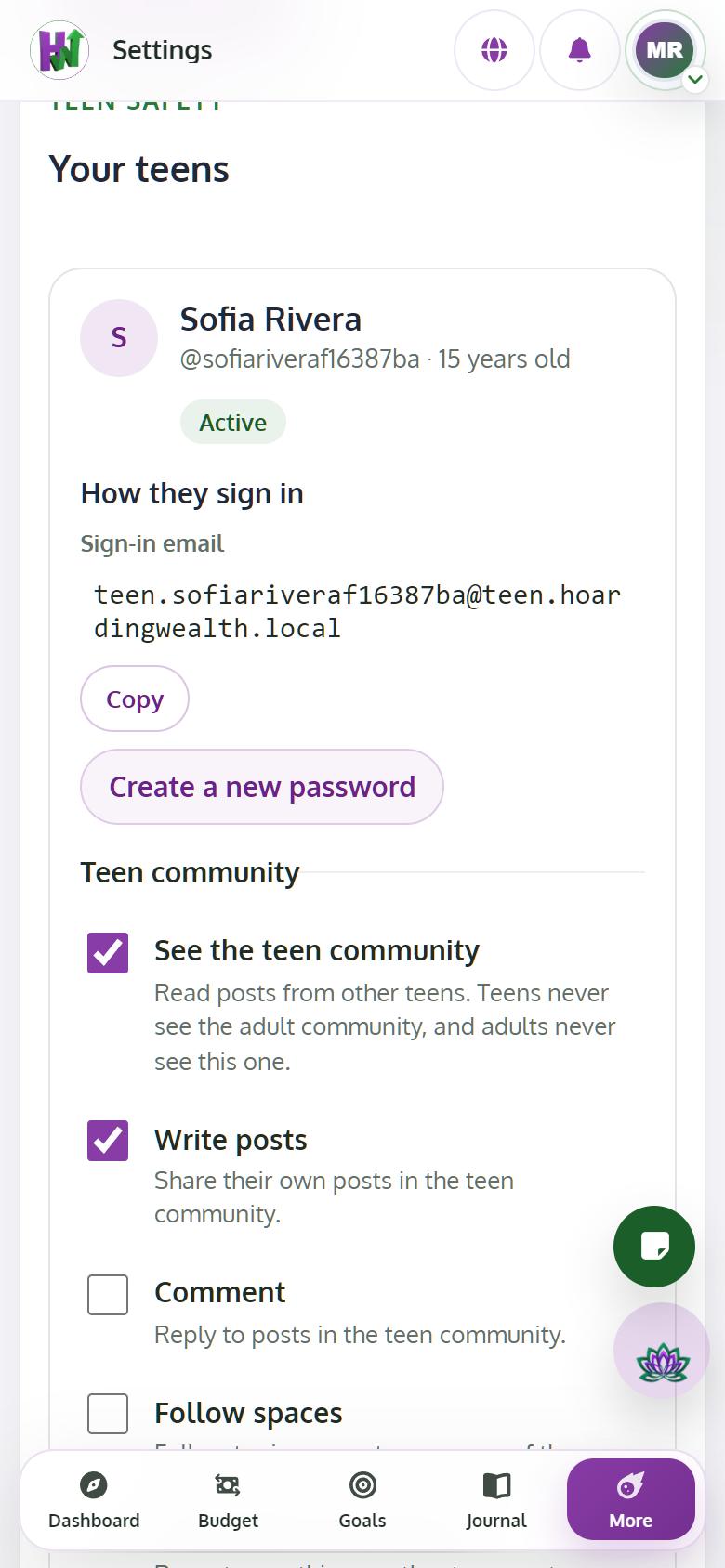
You see a sign-in email and a temporary password once. Copy them and give them to your teen. They sign in on the normal login page.
- 4
Choose the switches
Turn on what they can use: the teen community, posting and comments, AI help, advanced lessons and planning boards. Everything starts off, except I approve posts first.
Tips
- The teen community is completely separate from the adult Community.