
Build a Savings Vault
A Vault holds money for one purpose, like an emergency fund or a trip, so it doesn't get spent by accident.
PremiumThis guide needs Premium. See pricing
- 1
Add a saving item to your budget
In the Budget tap Add Item and choose the Type Saving.
- 2
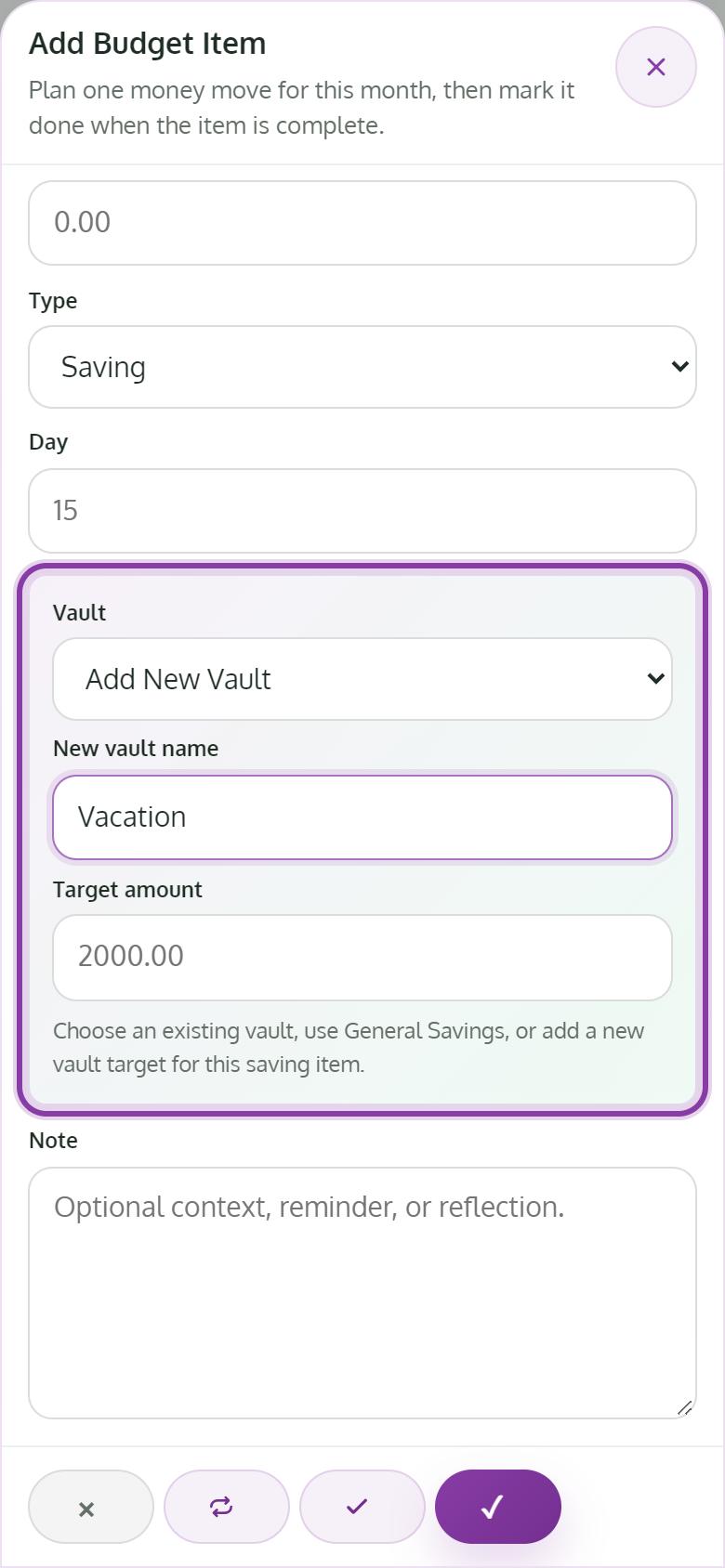
Create the Vault
In the Vault field choose Add New Vault, give it a name and a Target amount, and save the item.
- 3
Test a what-if
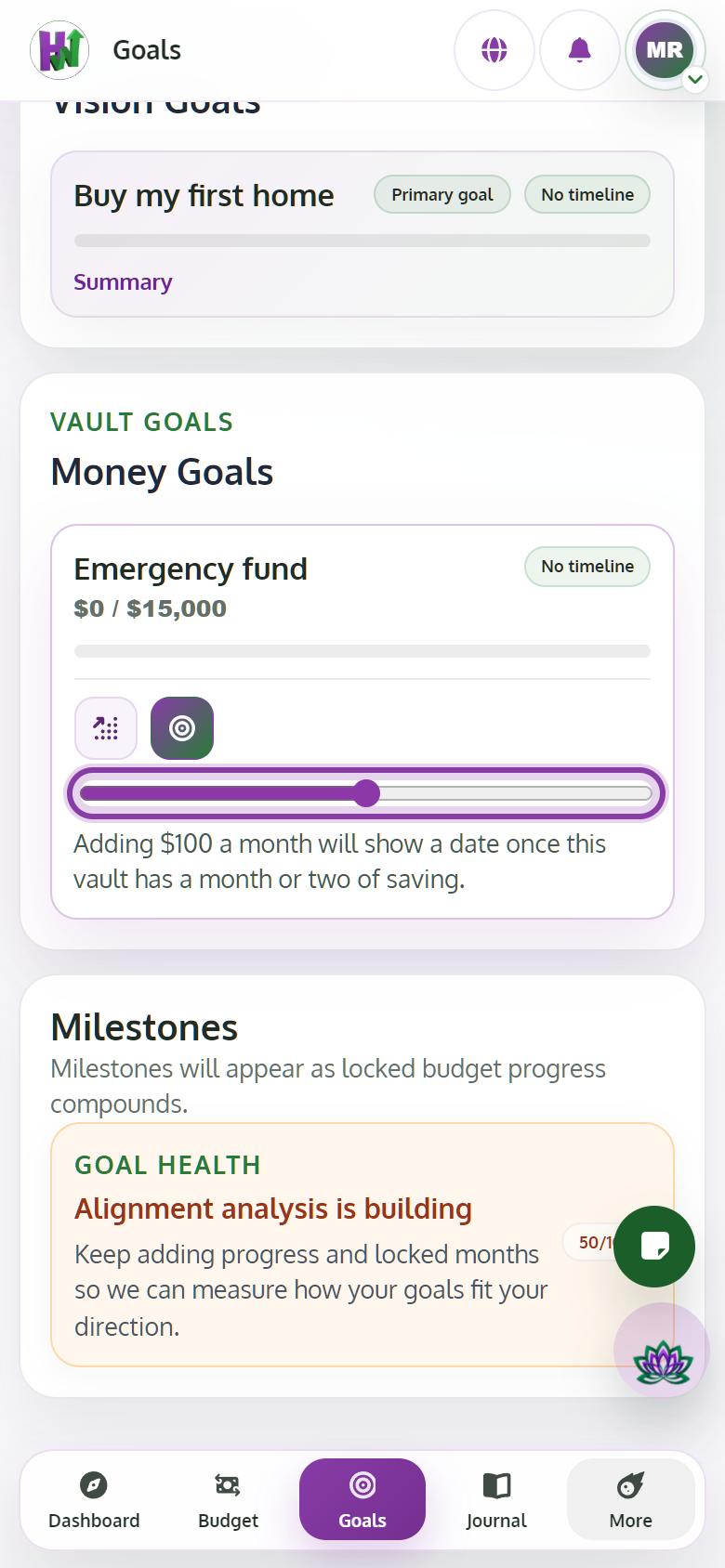
In Goals, tap the Vault Goal card to open it, then tap the target icon (What-if). Move the slider to add an extra amount each month and see how many months sooner you reach the target. The answer appears once the vault has some saving history.
- 4
Spend from it on purpose
When you use the money, add an item with the Type Expense from Savings and choose the Vault it comes from.
Tips
- Vault goals wait while you are paying off debt or building your emergency fund. That order is on purpose.