
Ask the AI Wealth Coach
The coach reads your budget, your stage, your goals, your recent Journal entries and the notes on your items, so its advice fits your month. It suggests; you decide. It never moves money or changes your budget.
- 1
Open the Wealth Coach
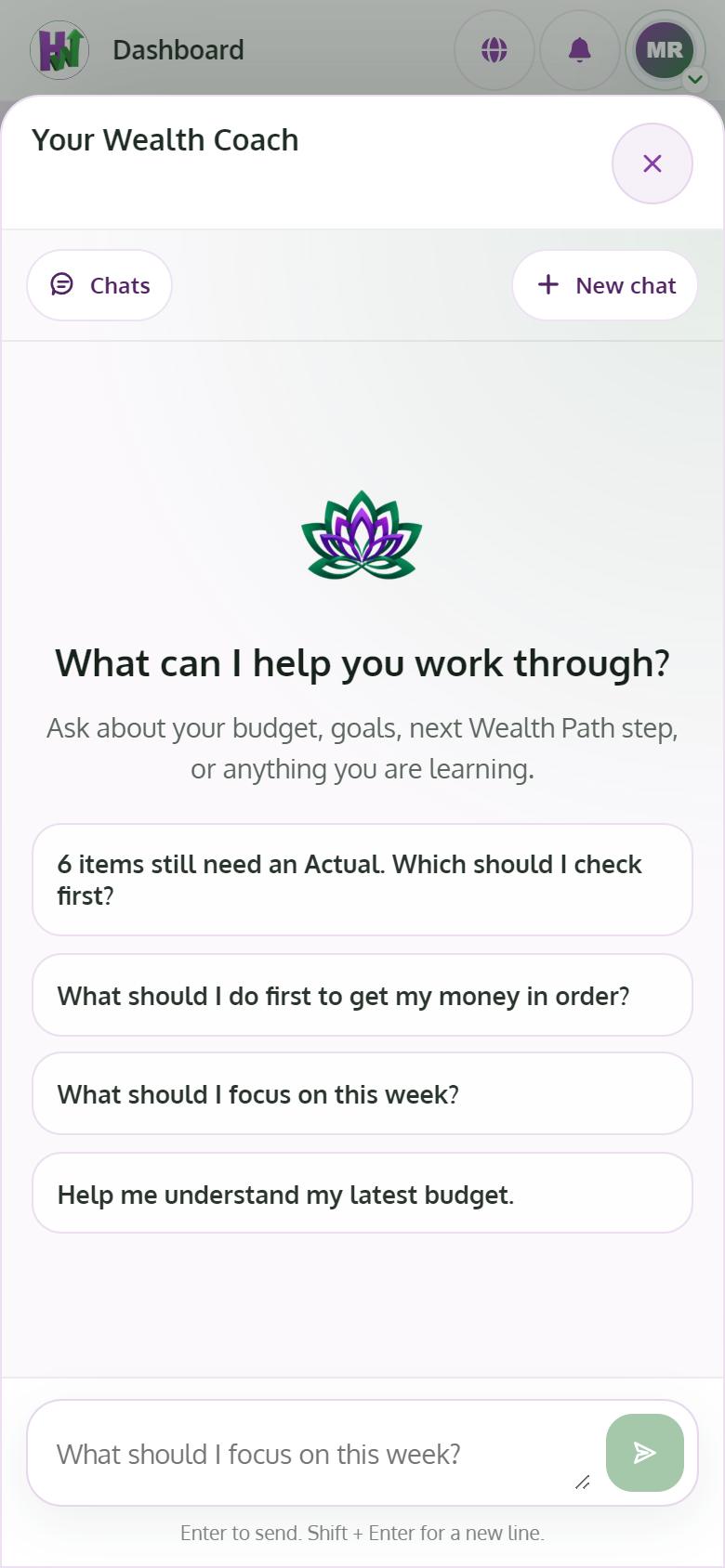
Tap Wealth Coach at the top of any page. Your Wealth Coach opens beside what you are doing.
- 2
Ask in plain words
Write a question like "What should I focus on this week?" and press Enter. Shift + Enter adds a new line.
- 3
Read the answer and take the one action
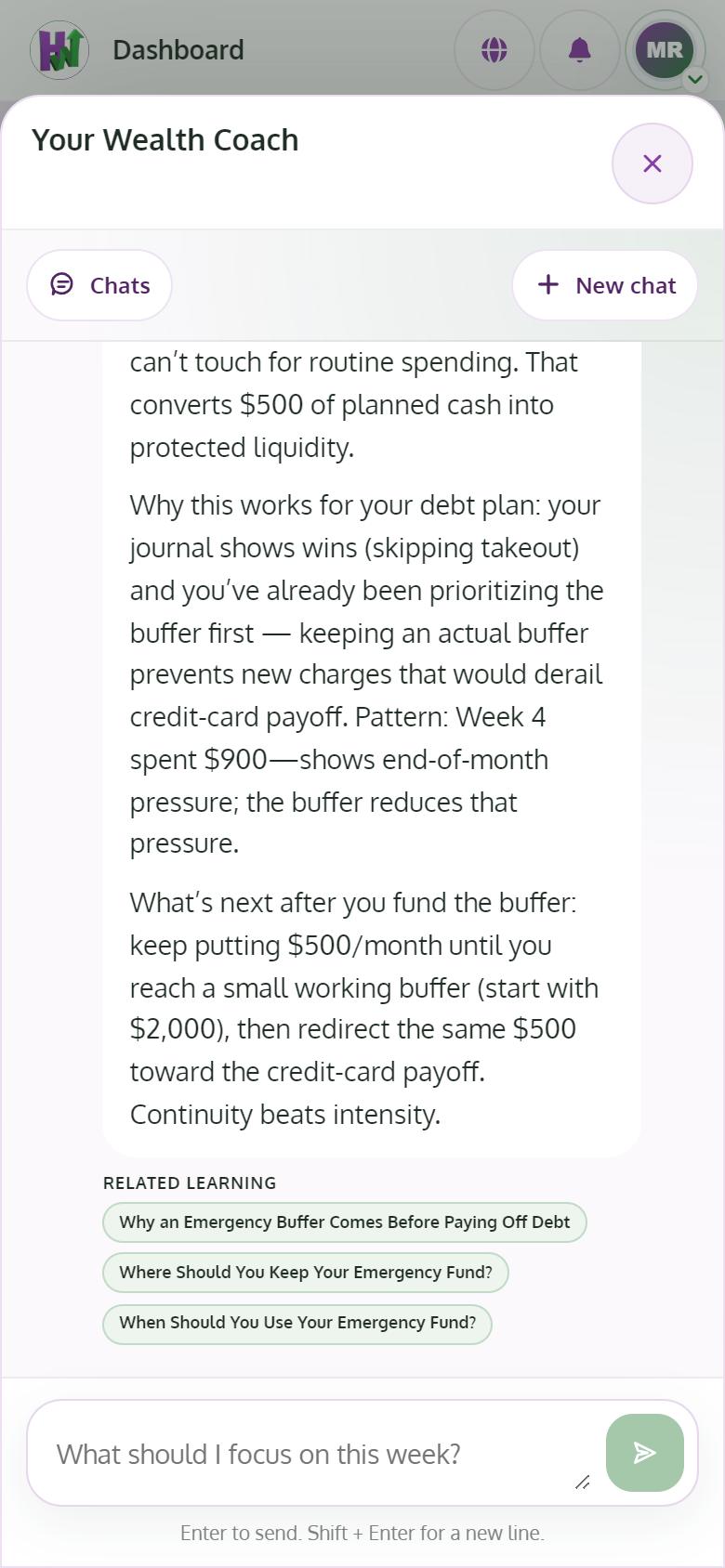
The coach uses your real amounts and ends with one clear action. Make the change yourself in the Budget or Goals.
- 4
Start fresh or go back to a chat
Use New chat for a new topic and Chats to reopen an earlier one. You can archive or delete a conversation.
Tips
- Free includes 10 messages a month and Premium 300, up to 20 an hour. They renew on the 1st.
- Write the why in your Journal and in item notes. The coach gives better advice when it knows the story behind the numbers.