Planned and Actual
Every line shows what you planned next to what you spent, with a due day, a note and Mark Done.

Hoarding Wealth is a budgeting and personal finance learning app that helps people who don't want to link their bank keep a full monthly budget by typing their own numbers into a plan they make before the month starts. There is no bank connection, no import and nothing that moves money.
Start freeMany budget apps start by asking for your bank login. Some people simply don't want to share it. Others have a small bank or credit union the app doesn't support, or they tried linking once and spent more time fixing broken syncs and wrong categories than budgeting.
There is a quieter problem too. When an app pulls in transactions for you, it tells you what already happened. You open it, see that dining out ran over, and the money is gone. Watching spending after the fact is not the same as deciding where the money goes before it leaves.
You start with your income and give every dollar a job in a zero-based budget: rent, groceries, gas, debt, savings and fun money. Each line gets a Planned amount and, if it is a bill, a due day.
Why: The decision happens before the money leaves, not after.
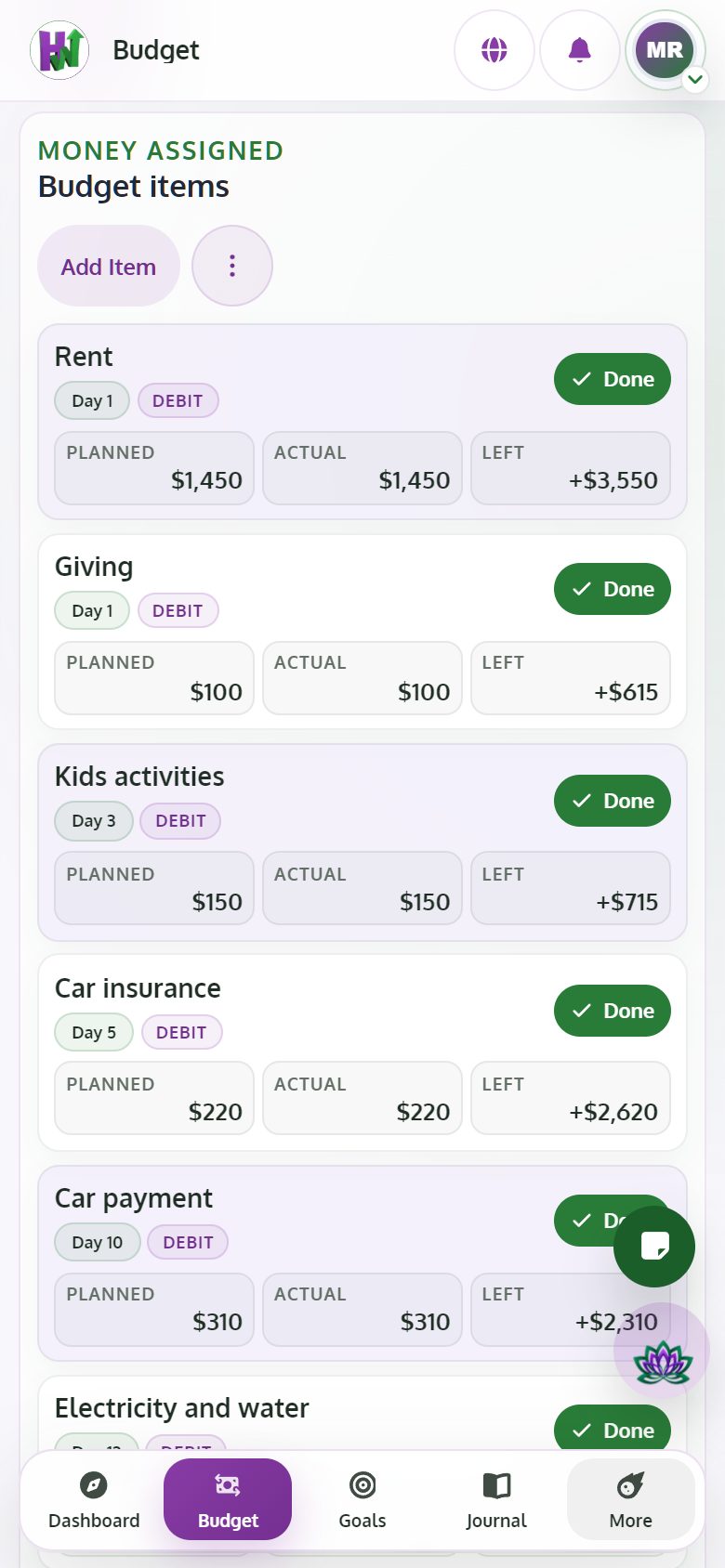
As the month goes, you enter the Actual amount for each line, from a receipt, a bill or a glance at your bank's own app. Add a note if something was unusual, and mark the line done when it's settled.
Because you see every number you type, you notice overspending while there's still time to change course. Move money from another line so the plan still adds up, instead of finding out at the end of the month.
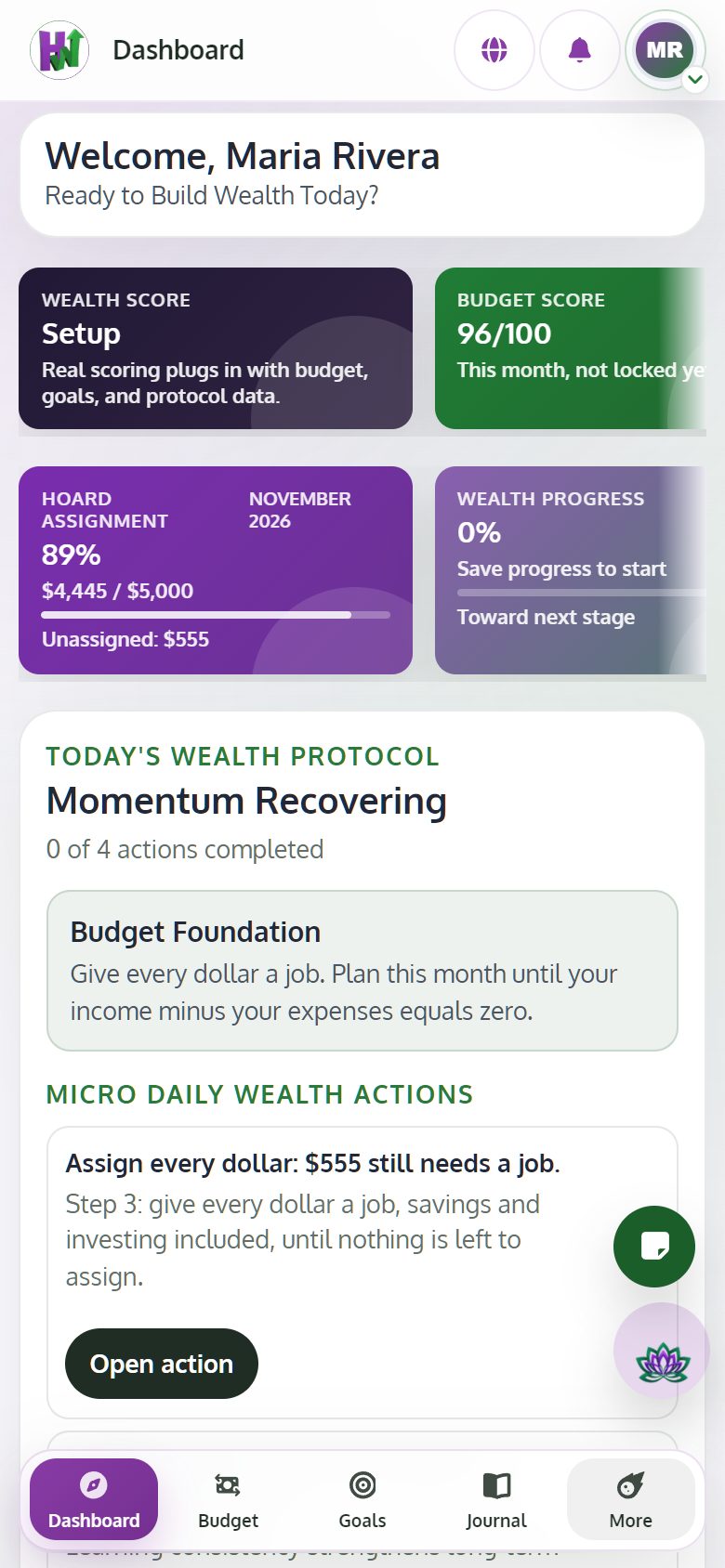
When every line has its Actual amount and is marked done, the month closes. Closed months set your Wealth Path stage, your Budget Score and your Savings Vault balances, and the Dashboard shows your next step.
Here is an example. You planned $600 for groceries and $150 for eating out. By the 20th, you've typed $640 in groceries, so the line is $40 over.
You move $40 from eating out, which drops to $110, and raise groceries to $640. Your total plan hasn't changed, every dollar still has a job, and you made the call yourself, on purpose, with ten days left in the month.
Every line shows what you planned next to what you spent, with a due day, a note and Mark Done.
See the same month by month, week, timeline or calendar, and print it or save it as a PDF.
Send bill due days to your Google Calendar so you don't miss a payment.
Type your starting debt total once; your closed months show how much is paid down and how much is left.
Repeat bills automatically and start next month from this month's plan, so there's less to type.
The app has no bank connection and never moves, holds or sends money.
There is no import of any kind. Hoarding Wealth doesn't link to banks, doesn't read transactions and doesn't accept CSV or spreadsheet files. Every number in your budget is one you typed. That is a deliberate choice, but it means you spend a few minutes entering amounts each week.
The free plan covers one income source and the current month; next month opens in the last five days of the month. Premium adds more income sources, planning further ahead, recurring items, copying last month's plan and Budget History.
If you want every purchase pulled in and categorized for you, or you make many small purchases a day and don't want to type them, an app with bank syncing will fit you better.
Yes. Hoarding Wealth has no bank connection at all. You plan your month and type your own amounts, and the app never asks for your bank login.
No. Hoarding Wealth has no import of any kind, not from banks and not from files. You type each amount yourself.
No. The app can't move, hold or send money. It is a plan and a record you keep, and the Wealth Coach can only suggest; anything it drafts waits for you.
For many people, yes. You see every number, you decide before you spend, and there is nothing to sync or break. The trade-off is a few minutes of entry each week.
It doesn't matter here. Because Hoarding Wealth never connects to a bank, it works the same with any bank, credit union or cash.
Match each bill to the paycheck before it, give every dollar a job and build a small cushion, one month at a time.
See how it helpsPlan on the amount you can count on, give every extra dollar a job when it arrives, and build a cushion for slow months.
See how it helpsOne shared plan you both can see and change, so money stops being the argument.
See how it helpsTake the free Money Personality assessment and plan your first month, no bank login needed.
Start free